The boring parts, brilliant
Book the job, send the quote, raise the invoice, take the payment, keep every message on the job. Your engineers do their part on site, even with no signal. The basics of field service management get the same care as the routing, because a full day means nothing if the invoice is wrong.
Jobs, quotes, invoices, payments, messaging, automations and the field app.
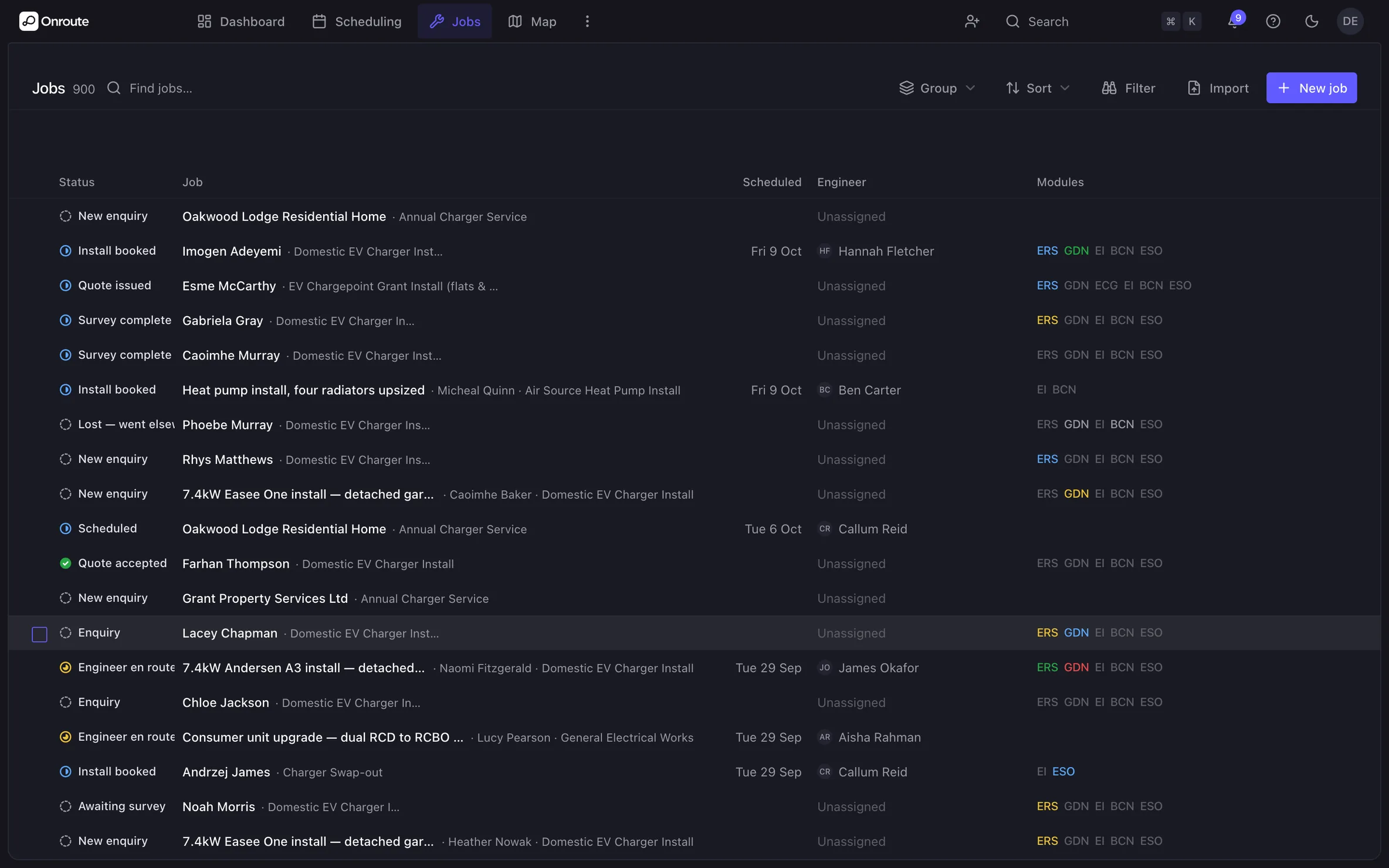
Job management
One screen per job: address, visits, paperwork, what's paid and every message — with your own status names.
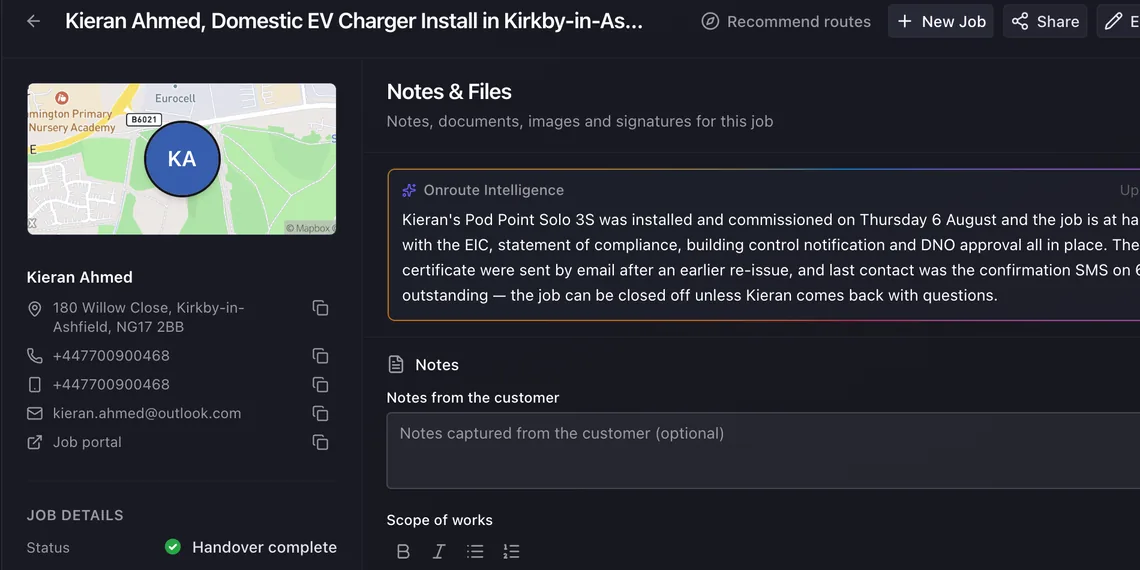
Field app
Photos, forms, the cert and the signature from site — no signal needed, it syncs when you're back in the van.
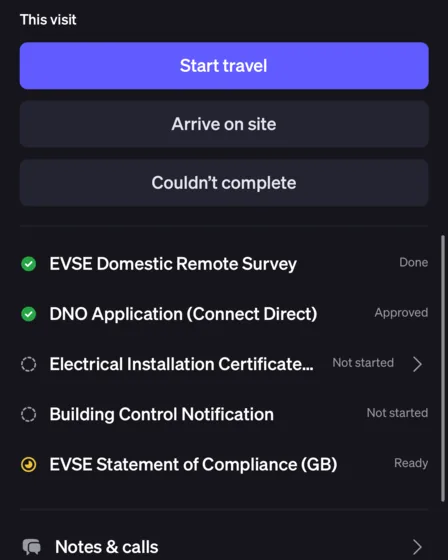
Quotes & invoicing
Your customer accepts the quote on their phone. Turn it into the invoice without retyping a line, and it lands in Xero.
Automations
Booking texts, reminders and chase-ups that happen by themselves as the job moves.
Messaging
WhatsApp soonText or email from the job, and text replies land on the job too. WhatsApp and RCS on the way.
Payments
Take a card over the phone, or your customer pays from the link you send — either way it's matched to the right invoice.
Tasks
‘Chase the DNO’, ‘order the charger’ — to-dos on the job, with a name and a date on each.
Documents
Every photo, certificate, signature and handover pack on the job, not in someone's camera roll.
Dashboards, calendar & map
What's owed, what's booked and who's on what — by list, by day or on the map.
Sites & projects
Every customer site with its contacts by role, and projects from design to handover.
Reactive call-outs
Log the call and create the job in one go, then see what’s overdue on one board.
Job sheets
A PDF of the visits, the work done and the photos, ready to email to the client from the job.
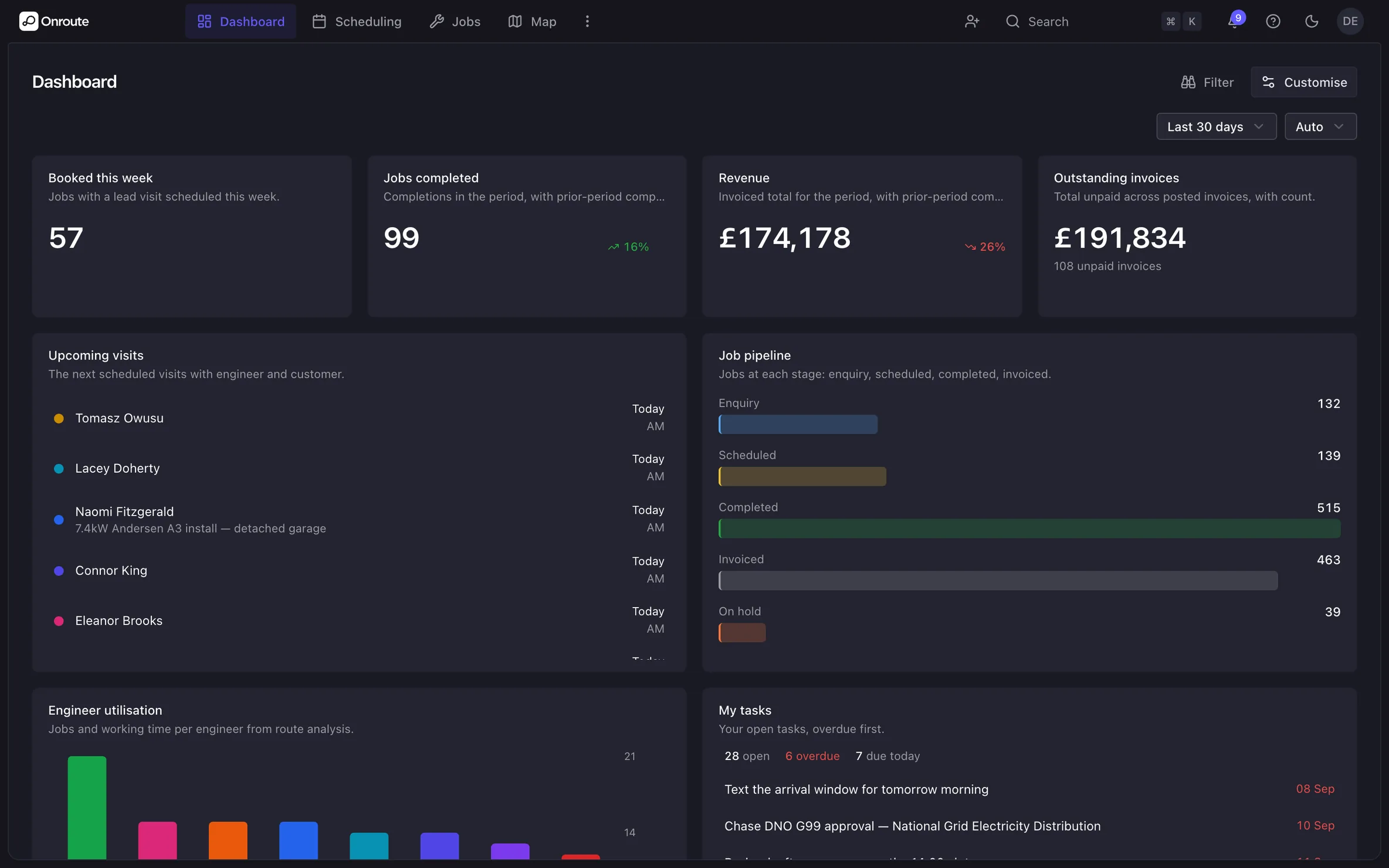
Dashboard
The first screen of the morning, laid out the way your office works. Money owed, the pipeline, what is running today and the jobs you touched last. Move the widgets around until it reads the way you want it to.
Features
- Widgets you pick and arrange yourself
- Money owed and the pipeline in front of you
- Charts of where jobs are, and how they got there
- Recent jobs, to pick up where you left off
The map
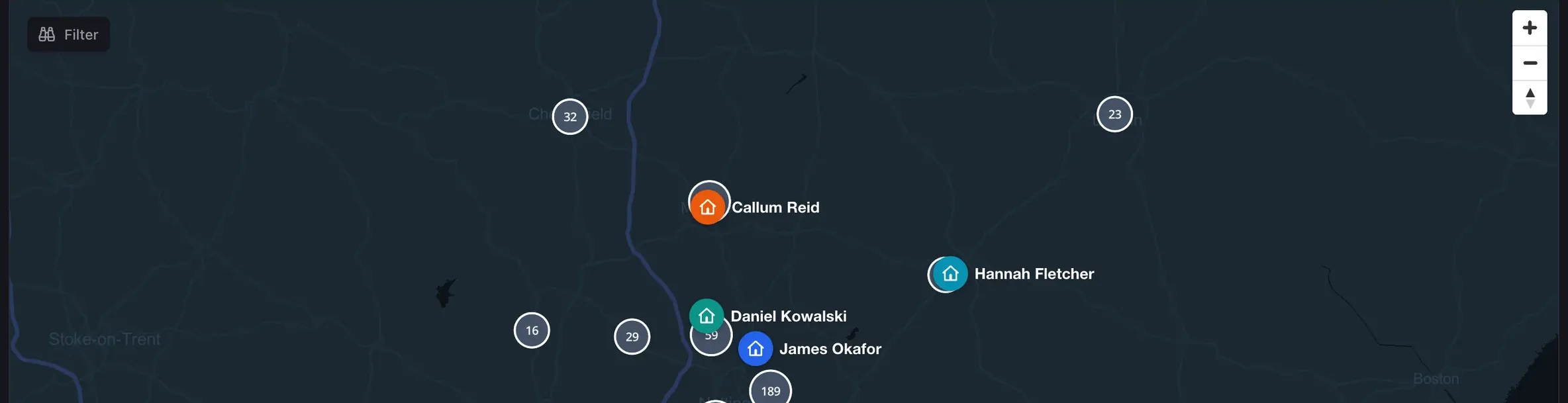
Every engineer and every visit as a pin. Zoom out and they gather into clusters; zoom in and a pin opens the job behind it. It sits beside the diary, so you can see the shape of the day before you book into it.
Features
- Engineers and visits on one map
- Pins cluster as you zoom out
- Open the job straight from its pin
- Read it next to the day view before you book
Sites, contacts and projects
Keep a register of every customer site, with its reference, address and access notes. Record each contact there by role. Run bigger work as a project, from design through to handover.
Features
- A register of customer sites, with access notes on each
- Contacts by role: responsible person, keyholder, site contact, FM and accounts
- Projects that move from design to install, commission and handover
- Contract value and dates, with linked jobs, quotes and invoices rolled up
- Link any job to its site, its project and the site contact
Reactive call-outs, logged in one go
A customer rings with a fault. Pick the site and the caller, describe the fault and set the response band. One dialog creates the job, links the site and logs the call.
Features
- One dialog for the site, caller, fault, system and location
- P1 to P4 response bands, with a respond-by time on P1 to P3
- A Call-outs board grouped Open, Dispatched and Closed
- Overdue call-outs show in red until they’re closed
- The response band on the job, with its due time for P1 to P3
Job sheets the customer can keep
One press turns a job into a PDF job sheet on your letterhead. It shows each visit, the work done, the materials and the photos. Email it to the client without leaving the job.
Features
- Arrival and departure for every visit, and the time on site
- The work done on each visit, and the materials used, with no prices shown
- The job’s modules and up to six photos
- Sign-off for the customer and the engineer
- Saved to the job each time, with earlier versions kept
- Email any job PDF to the client, and see who it went to and when
Quote on site, signed on the spot
Build the quote on site while you’re still with the customer. Show it to them full screen and they sign to accept. In the office, add parts from your suppliers’ price lists at your own sell price.
Features
- Search your own items, set quantities and see the total as you go
- Saved as a draft, sent when shown, accepted when signed
- Upload a supplier’s CSV and map its columns, with a preview
- Set a markup and see the sell price before you import
- Up to 2,000 items, and a bad row stops the import before anything loads
- Add parts to a quote from the price list, at sell price
Messaging
Your organisation gets its own UK mobile number. Text or email the customer from the job, and the reply lands back on that job rather than in one person's inbox. Templates fill in the name, the date and the engineer for you.
Features
- A UK mobile number of your own
- Two-way text and email from the job
- Templates that fill in the job's own details
- Bulk text to as many as 200 ticked jobs
- Calls logged on the job, and an AI summary of the job
- WhatsApp and RCSOn the way
Tasks, notes and documents
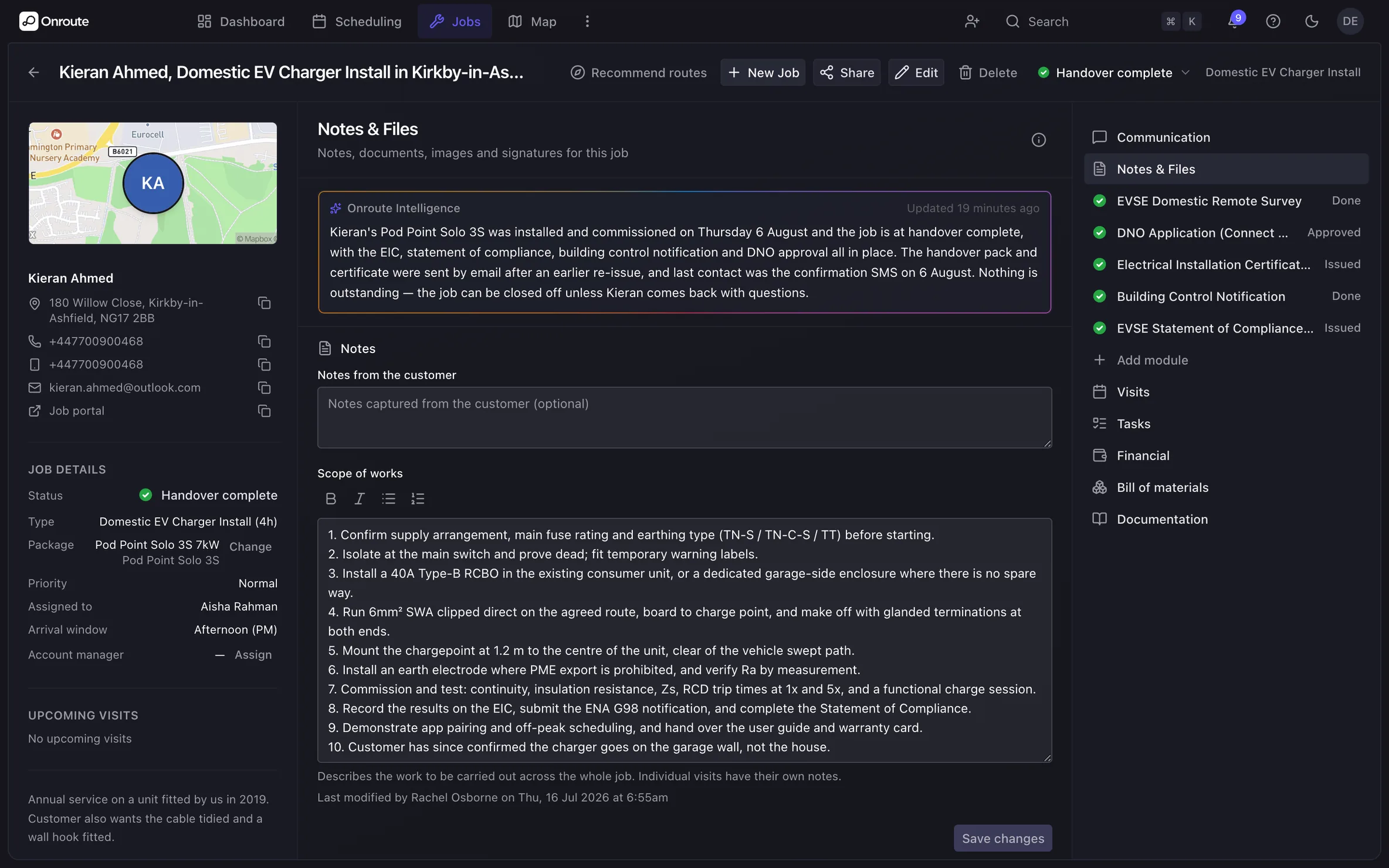
Everything a job produces stays on the job. To-dos with a name and a date, notes, photos, the signed certificate and the handover pack — in one place, not a camera roll and three inboxes.
Features
- Tasks on one job or across them all, and ‘my tasks’ for each person
- Task templates and bulk create for the jobs that repeat
- Notes, photos and files held against the job
- The EIC signed on site and filed on the job
- Every other certificate on the phone tooComing soon
- An audit trail of every status change
Reports and exports
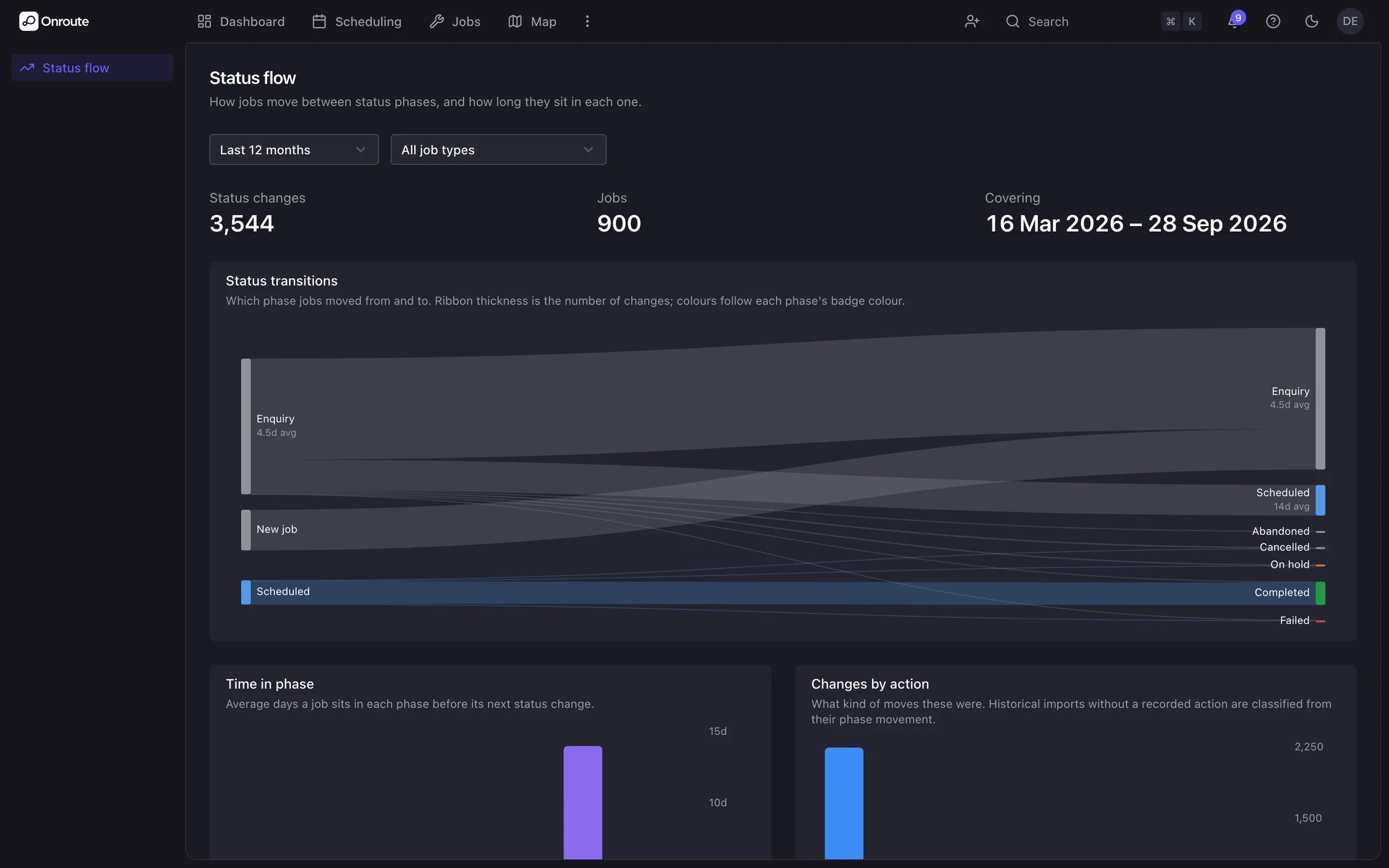
Filter a list on screen, then export exactly what you are looking at. Jobs, customers, visits, quotes, invoices and payments all come out as CSV. The status-flow view shows how jobs travel, and how long they sit at each step.
Features
- CSV exports of jobs, customers, visits, quotes, invoices and payments
- Exports match the filters you already have on screen
- Status-flow analytics with average and median time in each status
- Saved searches to come back to
- Bulk import with a dry run before anything is written
Running the team, not just the jobs
The parts of the office that never made it into the diary: leave, the vans, the manuals, the safety briefings and who holds which ticket. All in the same Onroute, next to the jobs. See the team tools
Time off
Engineers ask for leave in Onroute and you approve it — or it approves itself for the types you choose, sick days say. Approved leave comes straight off the diary, so nothing gets booked onto a day that isn't there. Balances, accrual and carry-over follow your own policy.
Fleet & van checks
Every van on the register with its MOT, tax, insurance and service dates. Checks on the schedule you set, item by item, a photo where something fails. Defects raised on the spot, and a van taken off the road while it's fixed.
The engineer library
One current version of every manual, install guide and site pack, surfaced on the right jobs for the right teams and trades. Ask it a question in plain English and get the answer, and where it came from.
Announcements & toolbox talks
Safety alerts, toolbox talks and notices sent to the teams, trades or people they're for, with a record of who has read what and a chase for whoever hasn't.
Qualifications & scheme accounts
Each engineer's tickets with their expiry dates, flagged before they lapse. Your scheme accounts on file, so the building-control notification goes in under the right name. For the EAS and your business documents, the Trust Centre adds a trust page you share: your people as counts, your documents by link.See the Trust Centre
Reports, roles & help
Export jobs, visits, quotes, invoices and payments as you see them on screen. Give each person the access their role needs. A help centre inside the app, with an article for most questions.
Set it once, stop chasing it
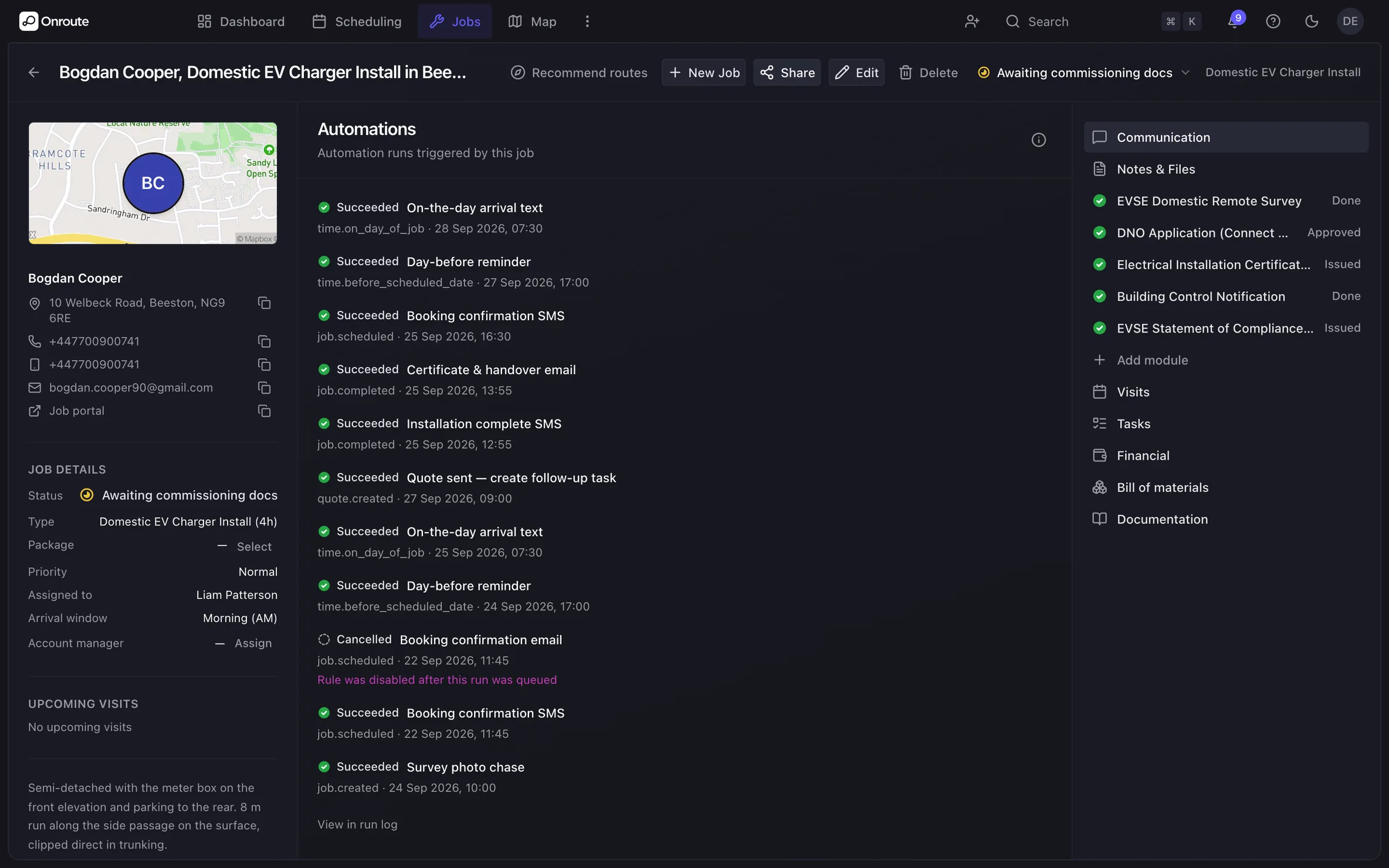
A text when the job books, and a reminder the day before the visit. A chase-up if the customer still hasn't picked a date, and the handover pack emailed when the job completes. Tell Onroute ‘when this happens, do that’, and it does — no consultancy project.
Features
- Kicks in when a job is booked, changes status, completes or misses its booking deadline
- Sends a text or email, raises a task, changes the status, or sends a webhook to your other systems
- Logs what was sent on every job, and when