Solar installs without the paper chase
From roof survey to handover pack, Onroute keeps a solar job moving. Surveys your customer starts from their phone. Quotes from your price list. Scaffold, install and commissioning booked as one job. DNO paperwork done as you go, and MCS coming soon.
Every certificate a solar job needs — in the right order
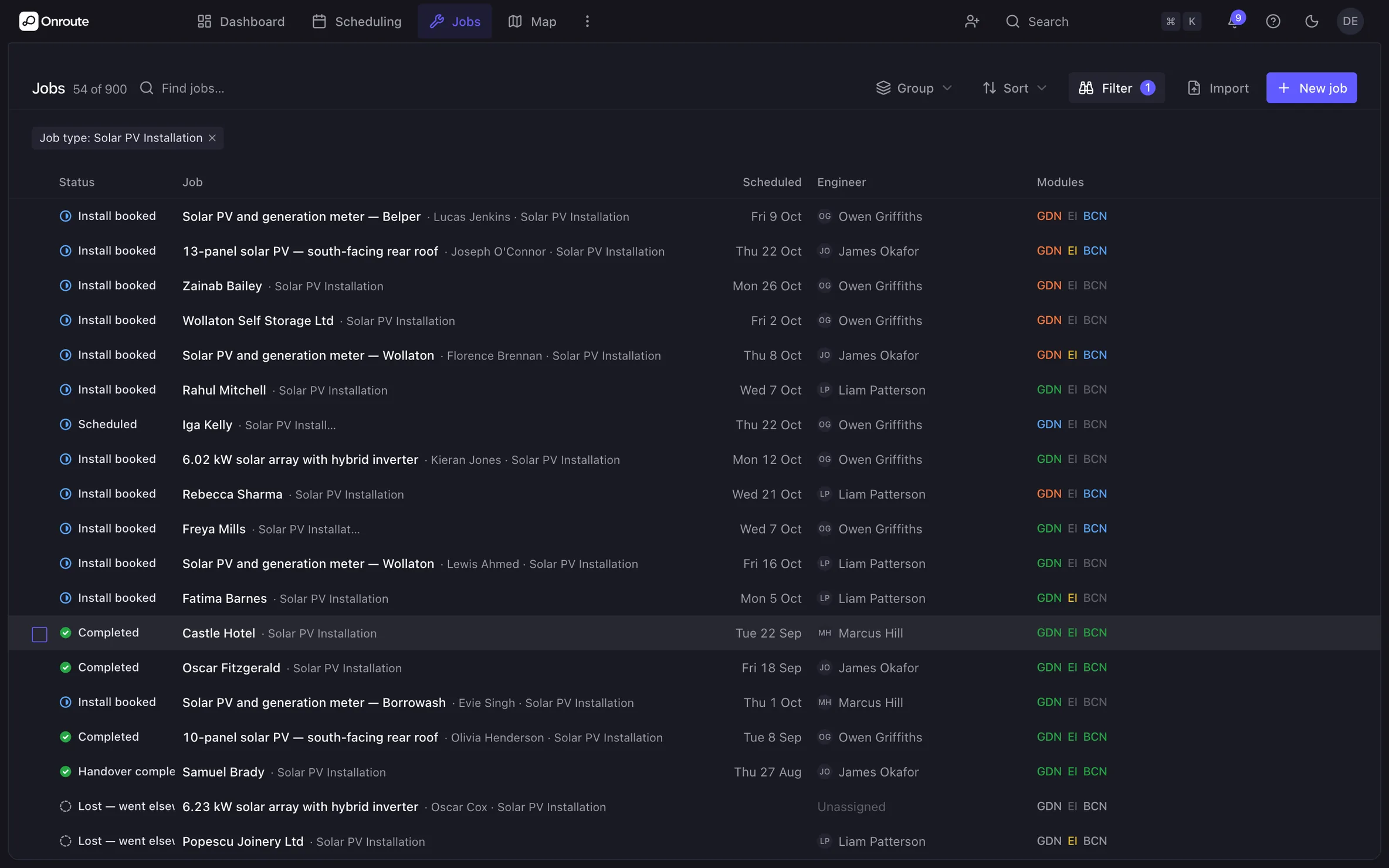
Pick solar PV as the job type and every step is already on it, in order, from survey to handover. Add a step later and the ones it needs come with it. Type the system size once and it's in every form that needs it.
Site survey
Installation checklist
Commissioning
EIC
PV verification
MCS certification
TrustMark lodgement
SEG registration
The order is locked in — MCS won't lodge until the commissioning and EIC ahead of it exist.
MCS workflows
Soon: MCS run to its ten-working-day clock, with a warning before it's late, and the photos and declarations MCS wants gathered as the job runs.
- G98, G99 & G100
- Electrical Installation Certificates
- SEG registration
- TrustMark & building control
- Handover packs

Solar compliance, as you go
The certification trail your customers' tariffs depend on — done during the job, not after it.
G98, G99 & G100
Notify under G98 or apply under G99 — picked by system size, sent to the DNO from the job. A G100 export limit recorded where the connection needs one.
Electrical Installation Certificates
Tested and signed on site, PDF emailed to the customer — and MCS can't go in without it.
SEG registration
Coming soonOn the way: Smart Export Guarantee registration as the last step on the job, so your customer's export payments start on time.
TrustMark & building control
Coming soonBuilding control notified through your scheme provider once the job completes. TrustMark lodgement, tracked to its deadline, is on the way.
Handover packs
Manuals, the signed EIC, commissioning results, DNO approval and warranty registration in one pack, and your customer can open it whenever they need it.
Scaffold, install, commission — planned as one piece of work
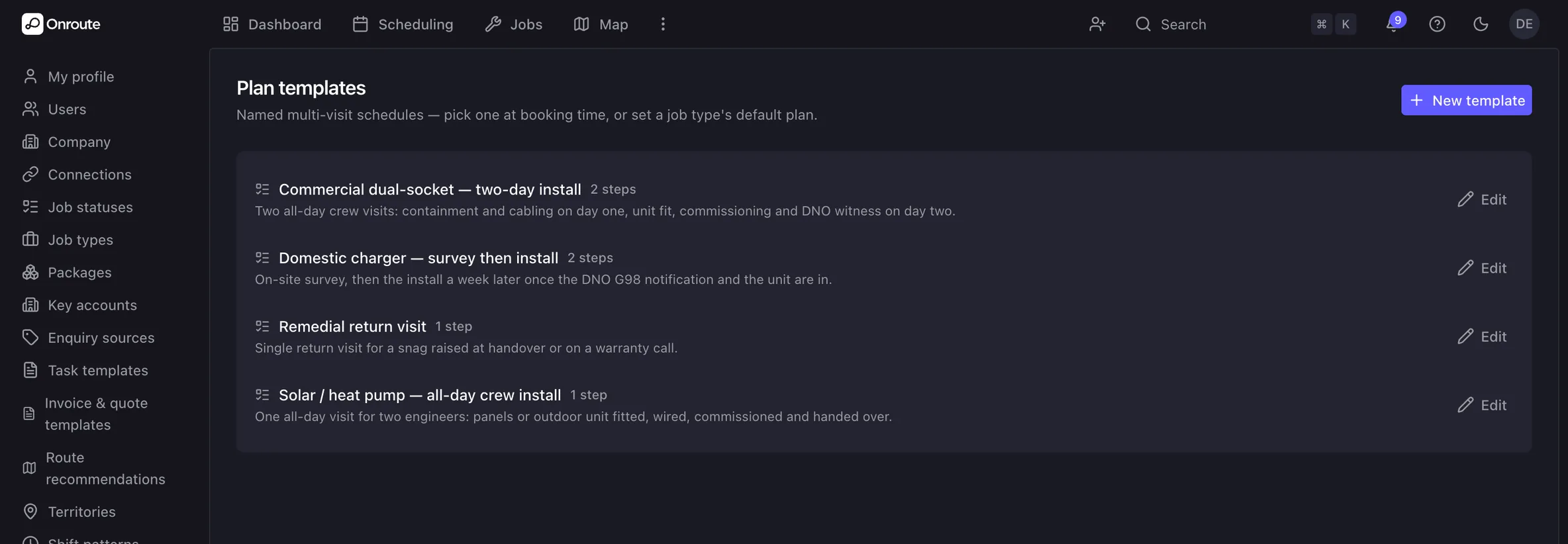
Scaffold Monday, panels Tuesday and Wednesday, electrician Thursday, commissioning the week after. Onroute books the lot as one plan, and you can save it as a template for the next roof. Start times stay put so trades don't collide, and the same crew stays on across install days where the diary allows.
Features
- Scaffolder, roofer and electrician each booked to their stage
- Fixed arrival times, so one trade isn't waiting on another
- The same crew across install days where the diary allows
- Save the sequence as a template for the next job
The DNO wait your calendar already knows about
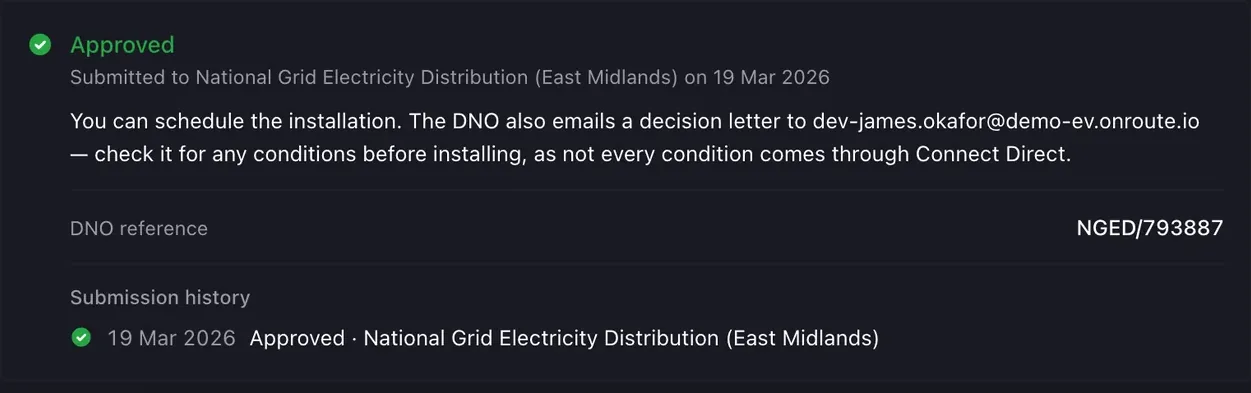
Larger systems need the DNO's consent before you install. The G99 application goes from the job, and the reference, decision and any conditions are kept on it. The install date is held until the DNO says yes, so nobody finds out on the morning.
Features
- G98 or G99, picked by system size
- Reference, decision and conditions tracked on the job
- Installation held until consent arrives
- The approval letter goes straight into the handover pack
Enquiry to handover, hands mostly off
Survey from your customer's phone
Your customer photographs the meter and fuse board on their phone. Supply details are entered once and every form that needs them reads them.
Quote from your pricing
An itemised quote builds line by line from your own price list. Anything that needs eyes on the roof gets a site visit.
Book the whole sequence at once
Scaffold, install and commissioning booked as one plan, the right trade on each day, and no install date before the DNO says yes.
Certify, register, hand over
The EIC is signed on site and the handover pack goes to your customer. Coming soon: the MCS certificate raised within its 30 calendar days of commissioning.
Questions installers ask
Does Onroute handle MCS paperwork?
Not yet — it's on the way. MCS will be a step on every solar job, with the ten-working-day clock counted down and a warning before it runs out, and it won't go in until commissioning is done and the EIC is issued.
What's the difference between G98 and G99?
G98 is for smaller systems — you notify the DNO after connecting. G99 is for larger systems — you apply and the DNO must approve before you install. Onroute picks the path from the system size, sends the form from the job, and holds the install date until a G99 is approved.
Can Onroute run solar and battery as one job?
Yes. Add a battery and it stays one job — same schedule, same DNO paperwork, same handover pack. The battery storage page covers how the battery steps slot in.
What goes in the handover pack?
The manual, the signed EIC, commissioning results, the DNO approval letter, warranty registration and the operating and safety information — plus the MCS certificate where it applies. It's compiled from the job, emailed to your customer and kept in their portal.
Does the app work on the roof with no signal?
Yes. Photos, readings and signatures are taken on the phone with no signal and sent when it comes back. Nothing gets lost on the roof, and the office sees it as soon as the engineer is back in the van.
Can a scaffold firm or subbie see the job?
Yes, if they're on Onroute and you've connected with them. Share the job and they see it in their own Onroute — the visits, the paperwork, the history — while the job stays yours: they can't delete it or take it over, and you can withdraw it, straight away within 48 hours or with their agreement once they've booked.