Run the team, not just the jobs
The office runs on more than the diary: leave to approve, vans to keep legal, manuals to keep current, safety notices to send and tickets that expire. All of it sits in Onroute next to the jobs, so the team side of the office stops living in spreadsheets.
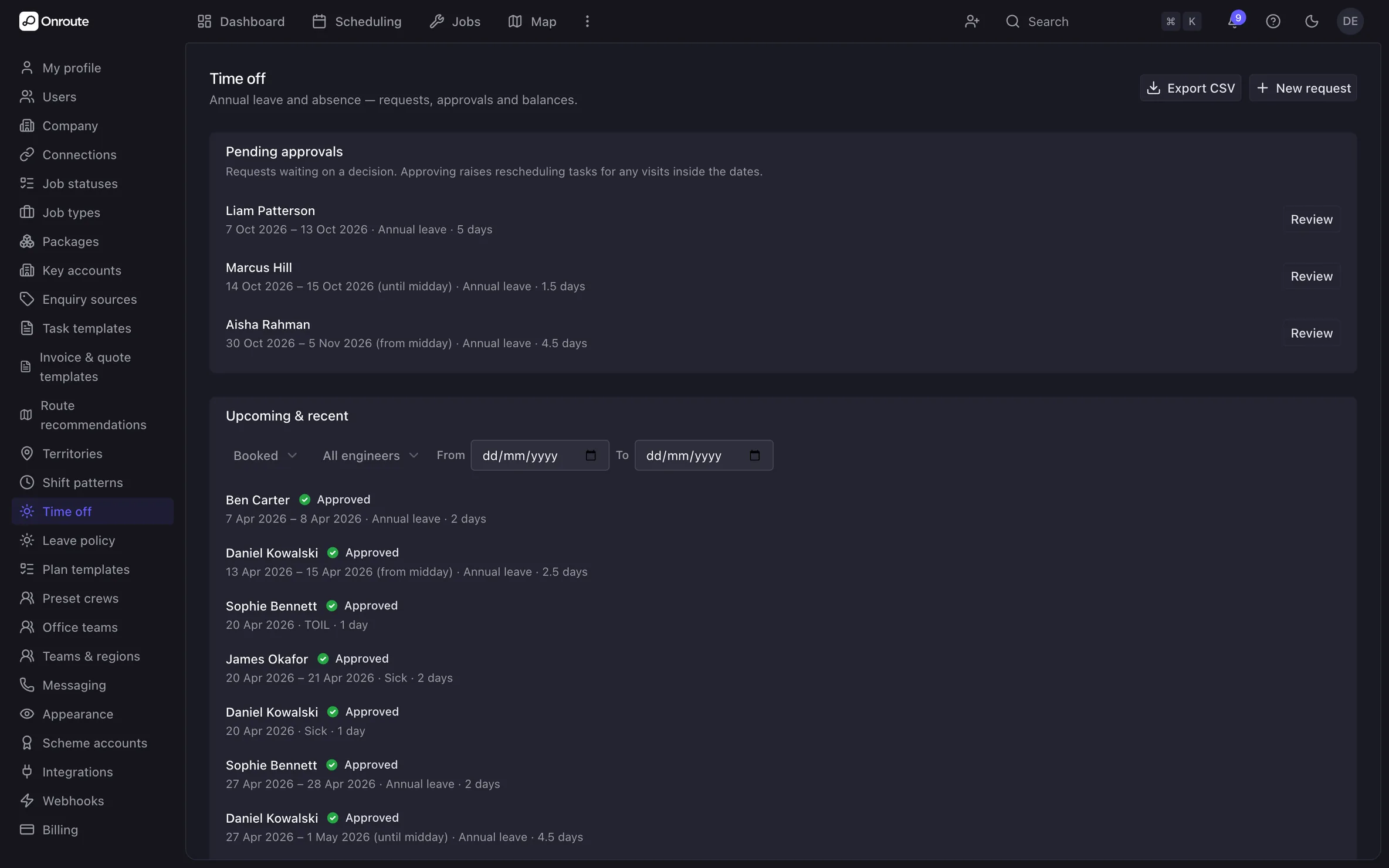
Leave booked once. The diary already knows.
Engineers ask for leave in Onroute. You approve it, or the types you choose approve themselves — sick days, say. Approved leave comes off the diary, so nothing is booked onto a day that isn't there.
Features
- Requests carry the leave type, the dates, half days and a reason
- Pending, approved, part approved, declined or cancelled, with the approver named
- Approved leave blocks scheduling, so nobody is booked on a day off
- Your own policy: leave year, accrual, carry-over and proration for starters
- Balances and an entitlement ledger per engineer, exported as CSV
- Short notice and a thin balance are flagged to the approver, never blocked
One current version of every manual. On the jobs it belongs to.
Manuals, install guides and site packs live in the library as uploaded files or pages you write. Each has numbered versions with one marked current, so nobody works from last year's. Ask a question in plain English and Onroute Intelligence answers from your own documents.

Features
- Draft, published and archived versions, one current version per document
- Scoped to teams, trades, job types, key accounts or charger models
- Documents surface on the jobs they match, beside the modules
- Every answer cites the document and the page it came from
- A read ledger and an insights page showing who has read what
- Adopt a manufacturer's documents into your own library
Every van on the register. Every check on the schedule.
The register is keyed on the registration, with the MOT, tax, insurance, service and LOLER dates on each vehicle. Van checks run daily, weekly, monthly or quarterly, item by item, with a photo where something fails.
Features
- Make, model, depot, gross weight and VIN, pooled or assigned to an engineer
- MOT, tax, insurance, service and LOLER dates in one list
- Checks completed in Onroute — pass, fail or not applicable on each item
- A photo required on any item that fails, and the result worked out for you
- Defects raised as advisory, defect or VOR — a VOR takes the van off the road
- A compliance page scoring checks done against checks owed, with mileage
Safety alerts out. Acknowledgements back.
Toolbox talks, safety alerts, operational notices and general updates, written in Onroute and sent to the people they apply to. Mark one important or urgent, schedule it, and watch the acknowledgements come in. Chase whoever hasn't read it without working down the list yourself.
Features
- Audience built from teams, regions, trades, key accounts and named people
- The audience is frozen at publish, so the recipient list never shifts under you
- Acknowledgements pinned to the version that was actually read
- Draft, scheduled, published and expired, with templates to start from
- A chase for outstanding readers, and a recipients table you can export
Who holds which ticket, and who can see what.
Every engineer's trades, skills and qualifications with their issue and expiry dates. Onroute flags a ticket thirty days before it lapses, and again once it has. Your scheme accounts sit on file, so a building-control notification goes in under the right operative and membership number.
Features
- Qualifications flagged expiring soon at thirty days, then expired
- Trades and qualifications decide who is eligible for which job
- NAPIT and NICEIC scheme accounts, with each engineer's operative and membership IDs
- Working days, shift patterns and breaks set per engineer
- Roles and permissions per person, so each sees the part of Onroute they need
- Revoke a lost device, or take a leaver's access away
A help centre sits inside the app, with search and an article for most questions — so a new starter can look something up without waiting on you.
For the EAS and your business documents, the Trust Centre adds a trust page you share: your people as counts, your documents by link.
Run the team from the same place as the jobs
See leave, the vans, the library and toolbox talks in one demo.